How to use ChatGPT

Wondering how to use ChatGPT? We’ll show you

If you’re wondering how to use ChatGPT, you’re not alone.

This intelligent chatbot, developed by OpenAI, took the internet by storm in late 2022, promising a conversational tone thanks to its machine learning. 

It isn’t just there for a quick chat however, as ChatGPT can answer questions on a range of topics; provide definitions, explanations and recommendations; provide problem-solving advice; and even generate text on a given topic (helpful for writing or translating).

This article is here to show you how to use ChatGPT. So, if that’s what you’re here for, all you need to do now is read on.

How to use ChatGPT

Note: the following steps were taken using Chrome browser, but as ChatGPT runs in a web page, you should be able to recreate the steps using a browser on any device.

1. Head to chat.openai.com(opens in new tab). You’ll need to have an account to use ChatGPT so either select Log in to use an existing account, or select Sign up to create a new one.

2. Select Sign up again and follow the steps to create an account manually, or select Continue with Google/Microsoft to log in using one of those accounts. Here, we’re using a Google account.
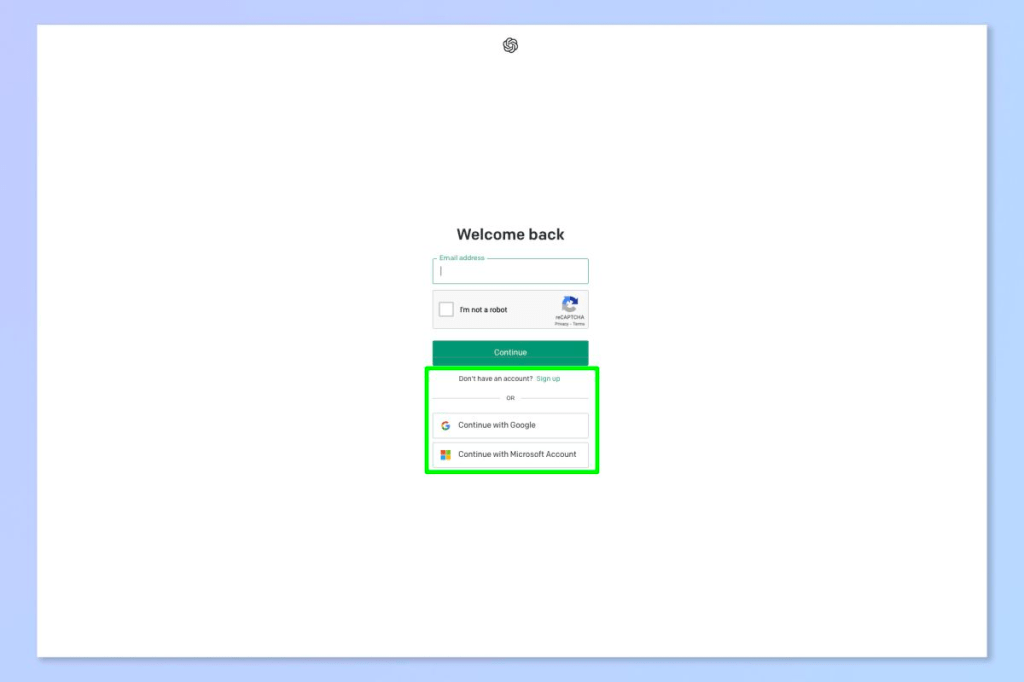
3. Enter your name and select Continue.

4. You’ll need to link a phone number. Select your region and enter a phone number, then select Send code.
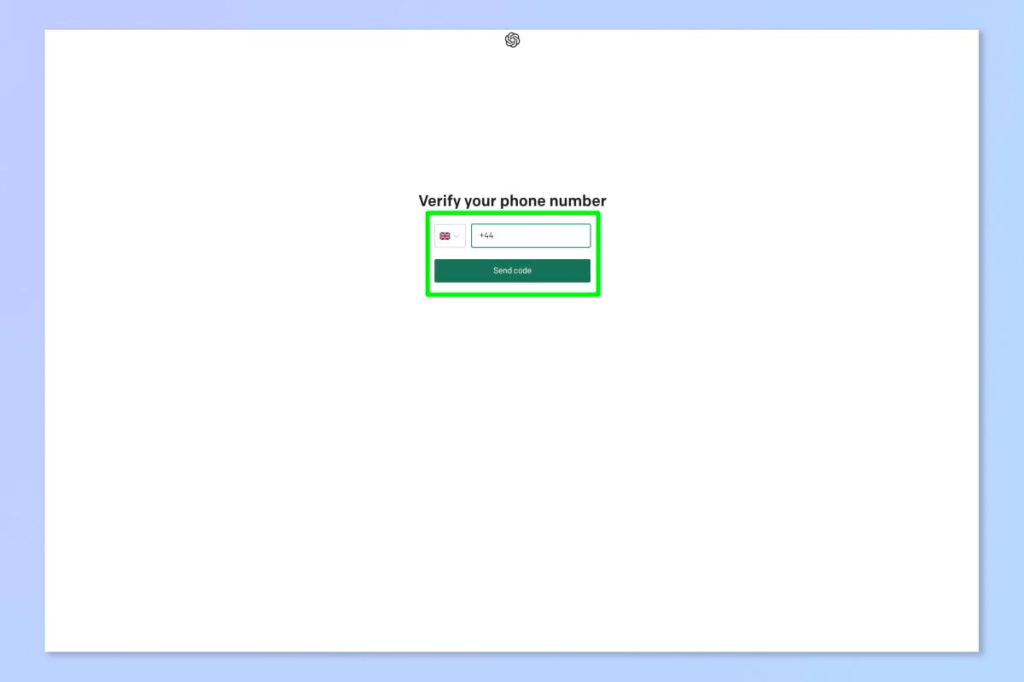
5. Enter the code you receive.

6. You’re in. Read the message that pops up and then select Next.
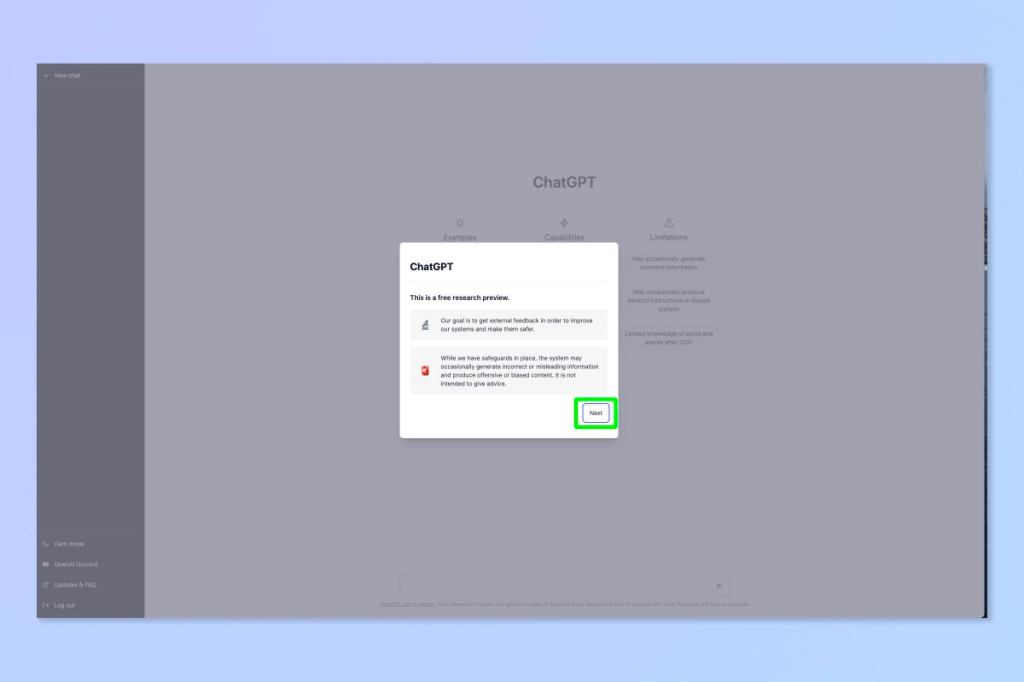
7. Read the second message about data collection and privacy, then select Next.
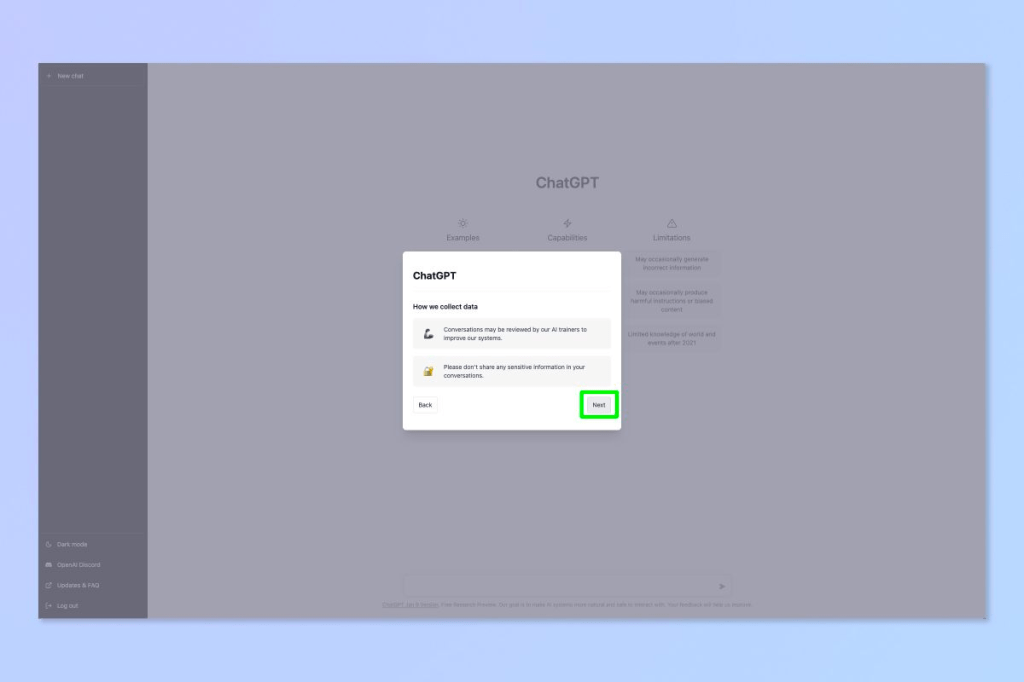
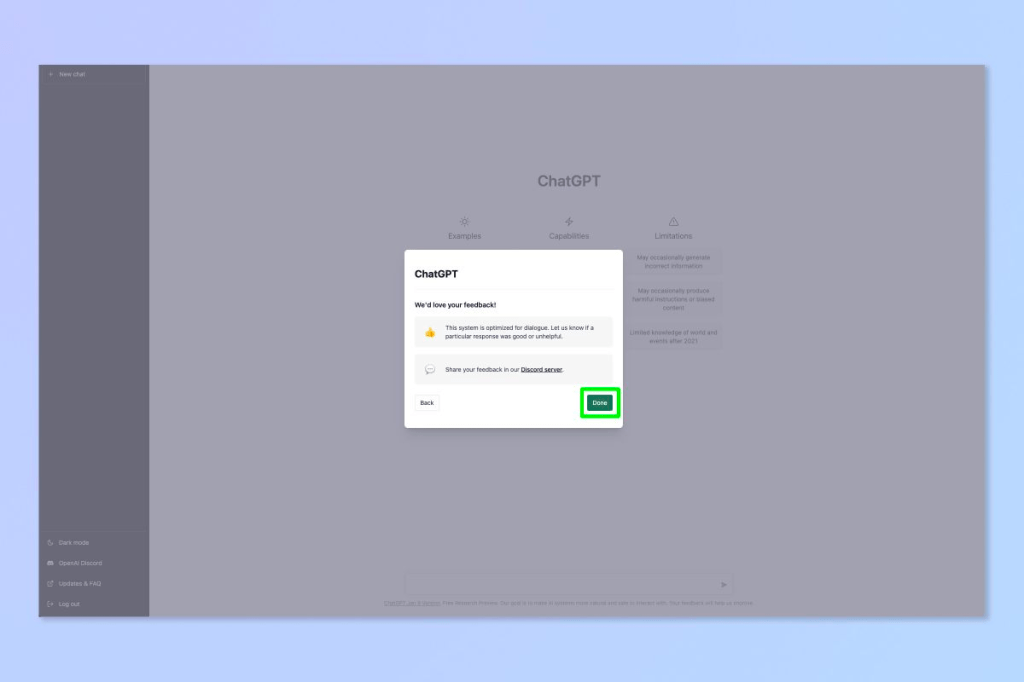
8. Read the third message asking for feedback, then select Done.
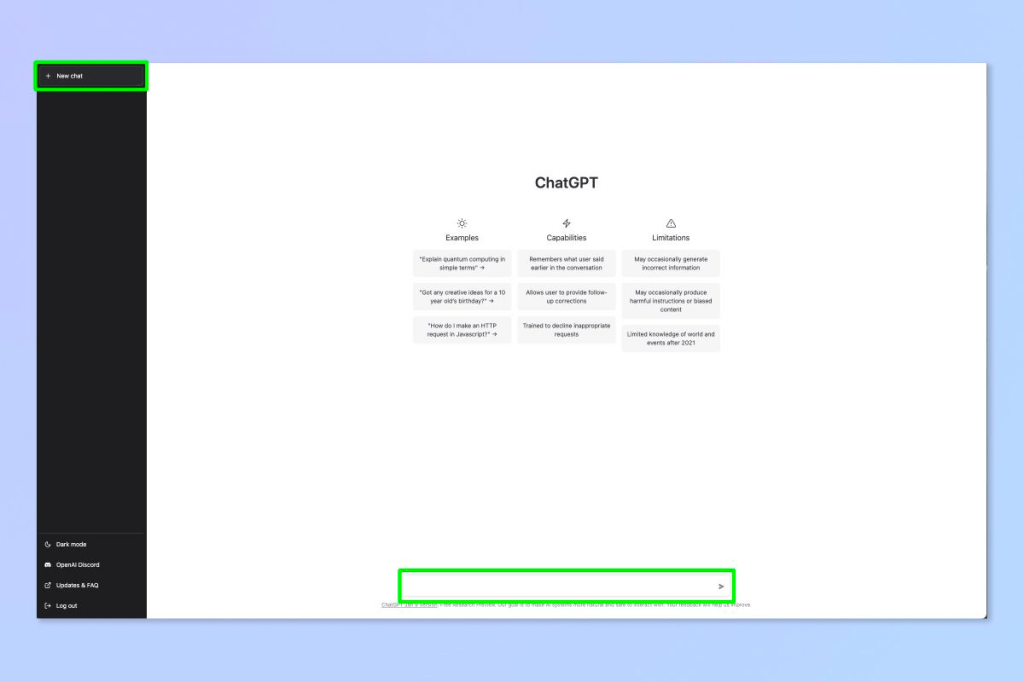
9. Now you’re all set up. Type in a question in the chat box at the bottom to get started. Select New chat in the top left at any time to begin a new conversation. 
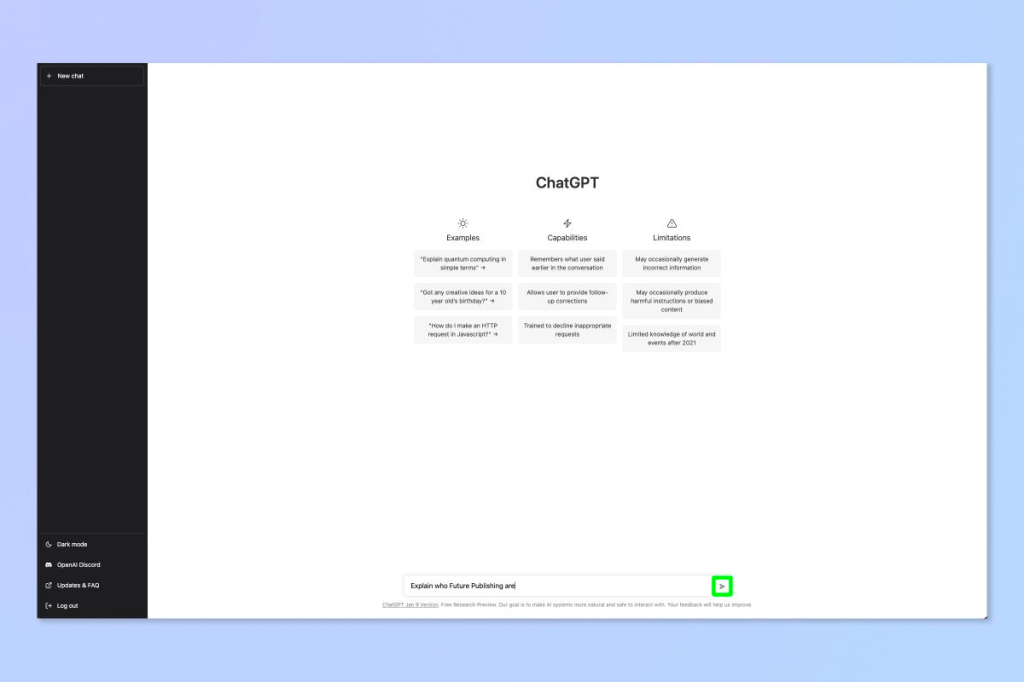
10. Select the send button.
11. See the response. The more complicated your question, the more extensive an answer you’ll receive.
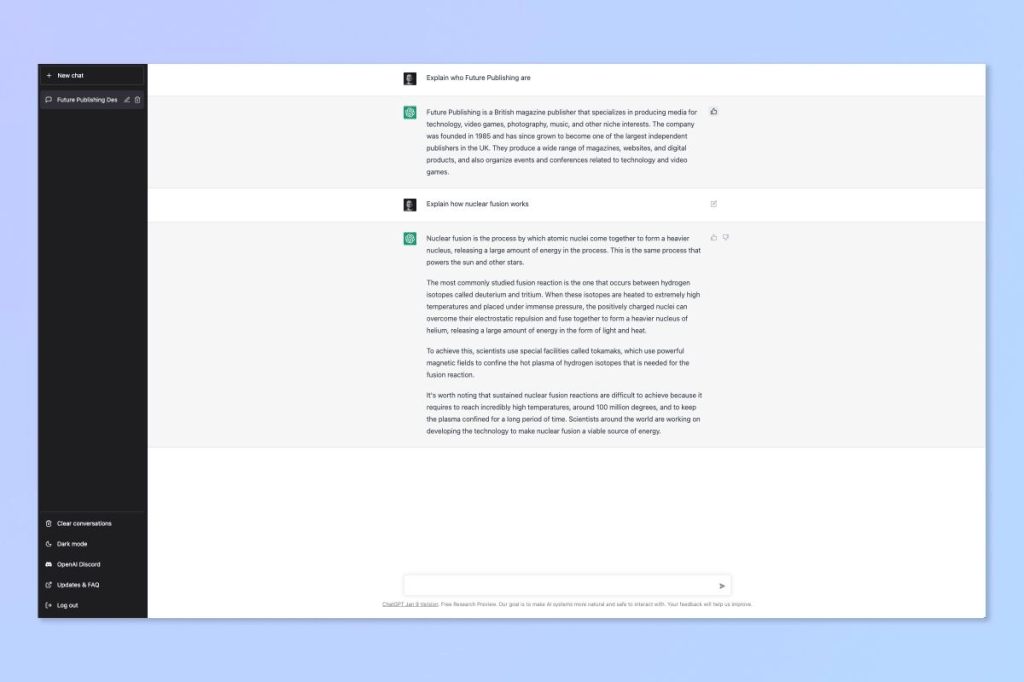
12. OpenAI want feedback for ChatGPT, so select the like/dislike button next to an answer to submit your thoughts.
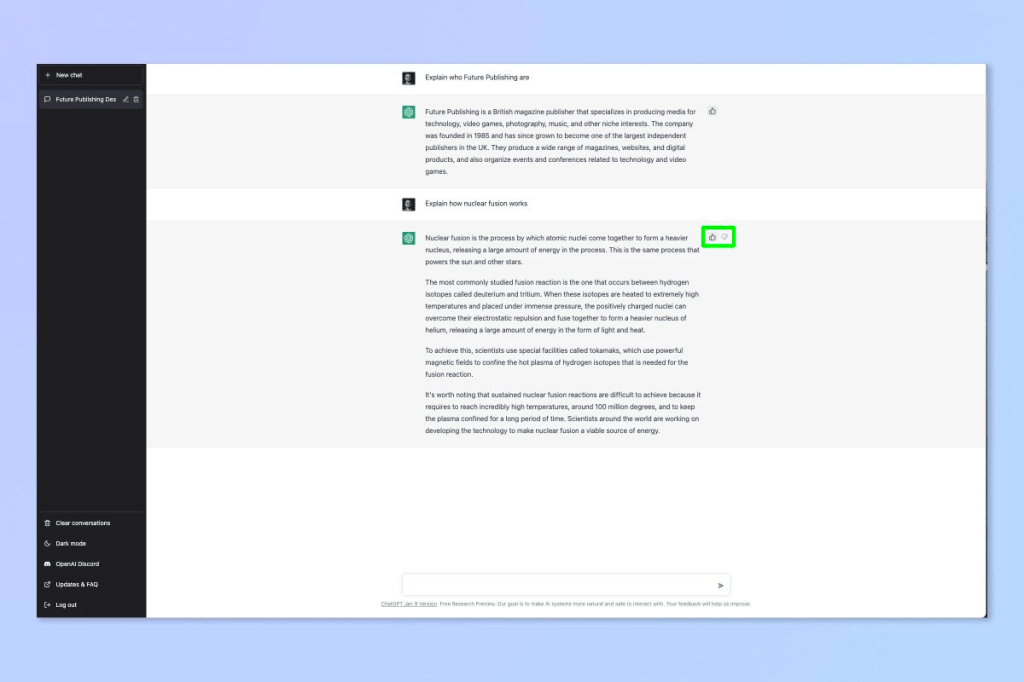
13. Type your feedback and select Submit feedback.

There you have it — you now know how to use ChatGPT. Enjoy finding out how quantum mechanics works. Bear in mind that ChatGPT will sometimes make stuff up to fill in any gaps it doesn’t know. For that reason, you certainly don’t want to rely on it for any serious work where accuracy is paramount. 
Crypto Newsletter

Welcome to the latest edition of our newsletter on the world of cryptocurrency!

In this edition, we’ll be diving deep into the recent surge in the price of Bitcoin, which has reached new all-time highs in recent weeks. This rally has been driven by a number of factors, including increased institutional adoption of the digital asset, as well as growing interest from retail investors.

One of the major drivers of this increase in institutional adoption is the increasing number of companies, such as Tesla and Square, investing large sums of money in Bitcoin. This has led to more mainstream acceptance of the digital asset and has helped to boost its price. Additionally, companies like PayPal and Visa have also announced plans to integrate Bitcoin into their systems, further increasing its legitimacy and potential for mainstream use.

Another topic of note is the growing adoption of decentralized finance (DeFi) on the Ethereum blockchain. DeFi refers to a new class of financial applications and services that are built on top of blockchain technology and are decentralized, meaning they are not controlled by any single entity. Some of the most popular DeFi applications include lending and borrowing platforms, stablecoins, and decentralized exchanges.

As more people and organizations adopt DeFi, the demand for Ethereum has increased, leading to a surge in its price. Additionally, the growing number of projects and startups in the DeFi space has led to more innovation and development in the Ethereum ecosystem.

We’ll also take a look at recent developments in the world of stablecoins, which are digital assets designed to maintain a stable value relative to a fiat currency such as the US dollar. These assets have gained popularity as a way to store value and facilitate transactions in the crypto space, and we’re seeing new stablecoins being issued by a variety of organizations. For example, the US dollar-pegged USDC and Tether (USDT) are two of the most popular stablecoin, they are widely used in trading platforms and DeFi applications.

In terms of regulations, governments around the world are beginning to take notice of the growing importance of cryptocurrency and blockchain technology. Some countries, such as Japan and South Korea, have taken a more progressive approach to regulations, while others, such as China, have taken a more cautious approach. It’s important to note that, regulations can have a big impact on the crypto market and should be closely watched.

Finally, we’ll round up the latest news and developments in the crypto space, including new partnerships and collaborations in the industry. For example, the collaboration between Chainlink and Google Cloud to bring data to smart contracts, this could open up new possibilities for the use of blockchain technology in various industries.

In conclusion, the crypto market is constantly evolving and there is a lot to keep an eye on. We hope you found this edition of our newsletter informative and engaging. As always, we welcome your feedback and suggestions for future issues.

Happy reading!

How to setup a new Nutanix host.

Setting up a new Nutanix host involves several steps, including preparing the hardware, installing the Nutanix software, and configuring the network settings. Here is a general outline of the process:

Prepare the hardware by installing the necessary components, such as the CPU, memory, and storage devices.

Download the Nutanix software image and create a bootable USB drive.

Connect to the host using a monitor and keyboard, and boot the host using the USB drive.

Follow the prompts to install the Nutanix software. This process may take several minutes to complete.

Once the installation is complete, you will be prompted to configure the network settings for the host.

Log in to the Nutanix web console using the IP address of the host and the default credentials.

Configure the network settings and other basic settings, like the time zone, host name, and cluster settings.

After the host is configured, you can add it to an existing cluster or create a new cluster.

Once cluster is created, you can add more nodes to the cluster, and configure the storage and network settings for the cluster.

The host is now ready to use, you can start creating virtual machines and deploying applications on the cluster.

Note: it is important to consult Nutanix documentation and best practices as this is a high level explanation and may not cover all the details.

How to Configure vSphere DRS


vSphere Distributed Resource Scheduler (DRS) is a feature of vSphere that automatically balances resources among the hosts in a cluster. To configure DRS, you need to do the following:

Create a cluster: In the vSphere Web Client, navigate to the datacenter or folder that contains the hosts you want to include in the cluster. Right-click the datacenter or folder and select “New Cluster.”

Enable DRS: In the “Cluster Settings” section, select the “Edit” button. In the “DRS” tab, select “Enabled” and set the “Automation level” to “Fully Automated.”

Configure DRS rules: In the “DRS Rules” section, you can configure rules to ensure certain virtual machines are placed on specific hosts or in specific resource pools.

Configure DRS affinity/anti-affinity rules: In the “DRS Rules” section, you can configure Affinity/Anti-affinity rules to ensure certain virtual machines are placed on specific hosts or in specific resource pools.

Configure DRS Advanced options: In the “DRS Advanced options” section, you can configure the migration threshold, host isolation response and more.

Apply the configuration: Click OK to apply the configuration and close the dialog box.

Keep in mind that you will need the appropriate permissions to configure DRS, and that you should test your configuration before deploying it in a production environment.

Microsoft Teams – Allow Screen Sharing in macOS

Beginning with macOS Catalina 10.15, Apple introduced new security controls to better protect your computer. For example, apps are now required to ask your permission before accessing your webcam, microphone, or recording/sharing your screen. This has a direct impact on Microsoft Teams as all of these  settings must be allowed to use MS Teams at its full capacity.

To configure your security settings for MS Teams, please do the following:

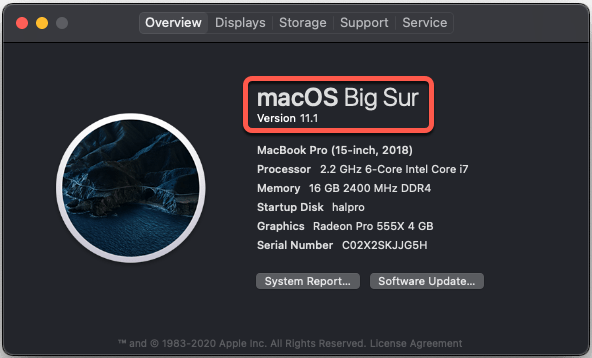
1. Check your macOS version – the following steps are only available in macOS 10.15 Catalina and macOS 11 Big Sur. To check your macOS version click the  menu in the top-left corner, then select “About This Mac“.
If you’re running macOS 10.15.x or macOS 11+, continue on:

2. Click the  menu in the top-left corner, then select “System Preferences…“. From the window that appears, select “Security & Privacy”

3. Click the padlock in the lower-left corner of the window. Enter your computer username and password – this will allow you to make the necessary changes.

4. You’ll need to allow MS Teams to access your Camera, Microphone, Accessibility, Files and Folders, and Screen Recording. To do this, select the item from the left column, scroll through the list of applications, and make sure that Teams is checked.

5. Repeat this process for:


* Camera
* Microphone
* Accessibility
* Screen Recording

6. Quit and relaunch Microsoft Teams for these changes to take effect.
Troubleshooting

PayPal Expands its Cryptocurrency Services to the UK

PayPal Holdings Inc announced that it will allow customers in the UK to buy, sell, and hold cryptocurrencies starting from this week. This is the first time that PayPal will launch its crypto services outside of the United States.

The backstory – PayPal announced its entry into the crypto sphere with an announcement in October 2020. Earlier this year, PayPal announced its plans to allow the buying, selling, and holding of cryptocurrencies on its network. The company also enabled its users to spend digital assets at millions of merchants on its network.

PayPal Offers Crypto Services in the UK

PayPal’s crypto service now extends to the UK where users can purchase cryptocurrencies including Bitcoin, Bitcoin Cash, Ether, Litecoin, etc. for as little as $1. These services resemble PayPal’s services in the U.S., though there are transaction limits for UK customers.

Jose Fernandez da Ponte, vice president and general manager for blockchain, crypto, and digital currencies at PayPal, mentioned that PayPal is committed to working continuously with the UK regulators and they would like to contribute to the digital currencies going to play in the future of global finance and commerce.

Looking ahead – We may likely witness several leading companies gradually expanding their footsteps considering client demand.

El Salvador Adopts Bitcoin as Legal Tender

On Wednesday, El Salvador became the first country to recognize Bitcoin as legal tender officially. The bill proposed by El Salvador President Nayib Bukele treats Bitcoin as a legal tender along with the U.S. dollar. Most of the nation’s legislature voted in favor of this bill, making it the first nation to adopt Bitcoin as a legal tender.

The details – The proposal for El Salvador to accept Bitcoin as a legal tender received a supermajority of votes. Sixty-two members from the legislature voted in favor of the bill, 19 in opposition, and 3 in abstentions. One of the major considerations, as per president Nayib Bukele, was that the step would boost financial inclusion in the country where 70% of citizens lack access to financial services.

What Does This Mean?

Under the provisioning of the bill, which will treat Bitcoin as a legal tender, it will mandate all businesses to accept Bitcoin as a payment method for goods and services. At the same time, the government will provide facilities for the entities who do not want to accept Bitcoin payment due to its volatile nature. In addition to this, citizens can pay their taxes in Bitcoin. There will not be capital gains taxes on Bitcoin transactions.

A trust fund will be set up at the Development Bank of El Salvador. The trust fund would sell some of the Bitcoin it receives for dollars to replenish the fund. Furthermore, Bukele also revealed that the country plans to offer permanent residency to any individual who invests three BTC into El Salvador’s economy.